Friday, March 23, 2012

CLASS Extensions Version 2 Released

CLASS Extensions version 2 is now available. All the features demonstrated in the demo videos are included plus the AttachmentsListEx collection control that is demostrated in the sample application but was not mentioned in the previous post.

Features


  • Color Business type and Controls. This business type is used to represent color values. The underlying CLR type is integer. After a request the change from the previous free version is that by default the pop-up window color picker control is used both for details and collections. Boolean property called “Drop Down” was added in the Appearance category which is false by default. When checked the drop-down/expander color picker control is used instead. This property is ignored in collections (grids/lists etc.) and pop-up is used. The color-picker control (as mentioned in the first version also) is contained in SilverlightContrib Codeplex project under Ms-PL.
    image
  • Boolean Checkbox & Boolean Viewer controls. These controls handle bool and bool? (Nullable<bool>) values. No changes made from the previous – free – version.
    checkedchecked_dimmeduncheckeduncheckeddimmedundefinedcheckundefinedcheck_dimmed
  • Rating Business type and Controls. This business type is used to represent rating values. The underlying CLR type is integer. The control is using the Mark Heath’s Silverlight Star Rating Control from CodePlex under Ms-PL.
    image
  • Percentage Business type and Controls. This business type is used to represent percentages. The underlying CLR type is decimal. In read-only mode a progress bar is displayed which is green for percentages <= 100% and red otherwise. It’s ideal for representing progress.
    imageimage
  • ImageURI Business type and Controls. This business type is used to display an image from a URI location. The underlying CLR type is string. You can define a thumbnail view and size and also choose if the URI should be visible (editable if not read-only). Stretch Image property applies Uniform stretch to the image.
    image
  • AudioFile Business type and Controls.This business type is used to store and reproduce audio files from a URI location. The underlying CLR type is string. You can choose if the URI should be visible (editable if not read-only). Play, Pause, Stop, Volume Control are available. Progress is also displayed.
    image 
  • VideoFile Business type and Controls. This business type is used to store and reproduce video files from a URI location. The underlying CLR type is string. You can choose if the URI should be visible (editable if not read-only). Play, Pause, Stop, Volume Control are available. Progress is also displayed.
    image
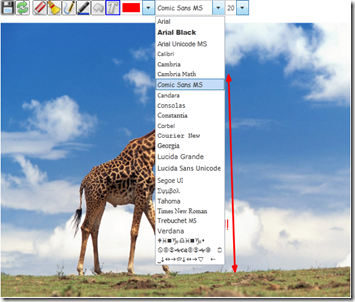
  • DrawingFile type and Control. This business type is used to store drawings. The underlying CLR type is string. The background of the drawing is defined as an image URI (not binary). Using the control you can draw lines, polygons and texts on a layer over the image store and edit afterwards to delete drawings, move edit or delete texts, change fonts and colors e.t.c. The control can also operate in local mode, where all drawings are saved in application’s Isolated Storage. Every time a drawing is saved a png image snapshot of the drawing is also generated and can be easily (with 2 lines of code) saved in traditional Image (byte[]) fields.
    imageimage
  • AttachmentsListEx Collection Control. This is a special use collection control used to represent collections of entities implementing CLASSExtensions.Contracts.IAttachment.
    image
  • FileServer Datasource Extension. A very important RIA Service datasource provided to smoothly integrate all the URI-based features. This Datasource exports two entity types: ServerFile and ServerFileType. Also provides methods to retrieve ServerFile entities representing the content files (Image, Audio, Video, Document, In the current version these are the ServerFileTypes supported) stored at your application server. Also you can delete ServerFile entities. Upload (insert/update) is not implemented in this version as depending on Whether your application is running out of browser or not it has to be done a different way. Maybe in an update. The idea for this datasource was based on this article of Michael Washington.
  • A good numbered (30+) collection of ValueConverters and Extension Classes. You can reuse in your applications either to create your own custom controls and extensions or application code in general.


  • Pricing

    The price is 50$ for the package without the code. Depending on demand a code inclusive version and pricing may become available. The payment is done through PayPal and if invoice is required will be sent by post. After payment you will receive a zip file containing the vsix file the sample application used for the demostration videos.

    Remarks

    • Regarding Rating business type the Maximum and Default rating properties have to be set on the control. Although I found I way to add attributes to the business type, I couldn’t find a way to retrieve in the control so that these parameters could be set once on the entity’s property.
    • The reason DrawingFile is using URI as image background and not a binary image was a result of my intention to create a lightweight drawing type which is also portable. As long as the image URI is public the drawings can be ported to any other application using the extension copying just a few KBs.
    • For the FileServer Datasource to work you must create a folder hierarchy in your web application’s folder. You have to create a Content (see also ContentDirectory appSetting below) sub-folder in the root folder of your application and a hierarchy like shown below. If the folders are not there, an attempt will be made by code to be created, but to avoid extra permissions issues you can create in advance. Also if you want to be able to delete files you have to take care of file permissions so that the account can delete files.
      image
      Also, as you can see in the sample application you will receive along with the extensions, in ServerGenerated\web.config there are 2 appSettings entries:

      <add key="VirtualDirectory" value="" />
      <add key="ContentDirectory" value="Content" />

      The first one VirtualDirectory is compulsory and if your application is not running at the root of the publishing site the value should be the name of the virtual directory under which your application is running. In the sample the value is null.
      The second one ContentDirectory is optional and if omitted then Content is assumed as the folder to look for files.
    • For AudioFile and VideoFile controls: The total duration of the media file is not always available so many times in the rightmost digital time display the value will be zero.
    • For all URI based types: If you are using the FileServer Datasource while debugging you will have issues regarding the validity of the URIs. As between builds and runs the host’s port can change, a URI provided from the FileServer Datasource (containing the current port) during one debug session, may be invalid in a next session if the port changes. Of course after deployment this will never be an issue unless you somehow change your application’s URL.

    Saturday, March 17, 2012

    CLASS Extensions Version 2 Demo

    After a long time of preparation, my company Computer Life and me we are ready to publish the next –commercial- version of CLASS Extensions.

    In this SkyDrive location you can find 2 videos briefly presenting capabilities of this new version. In less than a week a page will be started here, where you would be able to buy the package you prefer. There will be 2 packages: no source code and with code and code documentation. Pricing will be announced along with the official release.

    CLASS Extensions Demo Part I.swf

    Part1

    CLASS Extensions Demo Part II.swf

    Part2

    In these videos you will find a brief demonstration of the following controls and/or business types:

    • Color Business Type and Control. This was available also in the first free version. It has been improved to automatically detect grid or detail and read-only or not.
    • BooleanCheckbox and BooleanViewer controls. These were also available in the first version. No change to this one.
    • Rating Business Type and Control. A new business type to support ratings. You can set maximum rating, star size, show/hide starts and/or labels, allow/disallow half stars.
    • Image Uri Business Type and Control. A new business type to support displaying images from a URI location instead of binary data.
    • Audio Uri Business Type and Control. A new business type to support playing audio files from a URI location.
    • Video Uri Business Type and Control. A new business type to support playing video files from a URI location.
    • Drawing Business Type and Control.  A new business type that allows the user to create drawings using an image URI (not binary) as background. The drawing can be saved either as a property of an entity (the underlying type is string) or in the IsolatedStorage of the application. Also, every time the drawing is saved a PNG snapshot of the drawing is available and can be used any way you want, with 2 (two) lines of additional code. The drawings, both local or data service provided, can be retrieved any time and modified and saved back again.
    • FileServer Datasource Extension. A very important RIA Service datasource provided to smoothly integrate all the URI-based features. This Datasources exports two EntityTypes: ServerFile and ServerFileType. Also provides methods to retrieve ServerFile entities representing the content files (Image, Audio, Video, Document, In the current version these are the ServerFileTypes supported) stored at your application server. Also you can delete ServerFile entities. Upload (insert/update) is not implemented in this version as depending on Whether your application is running out of browser or not it has to be done a different way.

    Last but not least. There is a list of people whose code and ideas helped me a lot in the implementation of this version. Upon official release they will be properly mentioned as community is priceless.

    Wednesday, February 22, 2012

    Application Logo Sample

    Application Logo post had the dazzling number of 4 questions regarding how to use the code. So as I promised to the last guy that asked how to use the extension class I created a small sample and uploaded to msdn's Lightswitch samples. You can find it here

    Tuesday, February 7, 2012

    Re-Views

    In previous posts I made reference to views (DB or RIA) as an alternative (amongst other well-known potentials of views) to search and sort against fields that would normally be relations (lookups or however you want to call them).
    From the very beginning I had an issue with SQL Server views imported to LS. LightSwitch had a very strange way to define the primary keys of the views. These “inferred” primary keys are most of the time very complex combined keys. And this is not an issue actually until you decide to add a relationship between this view (which 99% of the times has only one field as actual primary key) and another table. Then you realize this, otherwise benign, complex primary key is an issue (to say the least).
    It was only recently, in this thread, after Yann Duran’s suggested reading (always to the rescue and always having something useful to contribute), that I managed to both understand how LS “infers” the Primary Key for a View and realize how one can “force” a primary key.
    The bottom line is that LS decides that all not-nullable fields will be part of the inferred primary key. Not very inspired but I must admit I cannot think of anything better. So, how one can force the primary key one wants? The way is re-introducing all you not-nullable, non-key fields by cast/convert to the same data-type (or another one if needed). This way the definition of the “table”/”view” imported by LS contains all, originally not nullable fields, as nullable.
    Very short example. Imagine Table Person as
    Id int not null, PK
    LastName nvarchar(50) not null,
    FirstName nvarchar(50) null,
    .
    .
    .
    Your view’s SQL would be
    select Id, CONVERT(nvarchar(50), LastName) as LastName, FirstName
    from Person
    Simple, dummy example just to display what I mean.
    I feel I am re-inventing the wheel as this information was already out there, but in Greece we say “Επανάληψη μήτηρ μαθήσεως” or “Repetition is the mother of Learning” or something like that. Looks like we never learned much from this anyways…

    P.S. After Yann's suggestion I have to note that actually this inferred primary key mechanism is Entity Framwork's native and not LightSwitch own behaviour. Although I had that in my mind I didn't make it clear here. I apologize for any missunderstanding and I thank Yann once more for the comment.

    Friday, January 20, 2012

    Application Logo

    Reading this article in MSDN forums and taking the best (I hope) of what LR_ and Michael Washington offered as solutions I ended up with an extension class that allows you to put your application’s logo on the Ribbon Bar of any shell having one. You also have the choice to put it either on the left or the right. LR_’s original code was only modified in 2 points.
    1. You can decide if you want you Application Logo on the left or on the right of your commands.
    2. You don’t need to pass a URL to the image. The application’s logo (defined in project properties) is bound inspired by the XAML provided by Michael Washington.
    I even left the LeftButtonDown part as it’s a good idea.

    Although implied from the detailed reference to them I want to thank both guys for making it so easy for me to put my logo on screen.


        private static class LogoPlacement
    
        {
    
             public static void AddLogo(this Microsoft.LightSwitch.Client.IClientApplication application, System.Windows.HorizontalAlignment alignment) {
    
               Microsoft.LightSwitch.Threading.Dispatchers.Main.BeginInvoke(() => { LogoPlacement.AddLogo(System.Windows.Application.Current.RootVisual, alignment); });
    
             }
    
          internal static void AddLogo(UIElement element, System.Windows.HorizontalAlignment alignment) {
    
            if (rcb != null) return;


            for (int i = 0; i < System.Windows.Media.VisualTreeHelper.GetChildrenCount(element); i++) {
    
              if (rcb != null)
    
                return;
    
              UIElement child = (UIElement)System.Windows.Media.VisualTreeHelper.GetChild(element, i);
    
              AddLogo(child, alignment);
    
            }
    
            if (element is Microsoft.LightSwitch.Runtime.Shell.Implementation.Standard.RibbonCommandBar) {
    
              rcb = element as Microsoft.LightSwitch.Runtime.Shell.Implementation.Standard.RibbonCommandBar;
    
              Image myImage = new Image() {
    
                Stretch = System.Windows.Media.Stretch.Uniform,
    
                Margin = new Thickness(2,8,14,8),
    
                HorizontalAlignment = alignment,
    
                Cursor = System.Windows.Input.Cursors.Hand
    
              };
    
              myImage.SetValue(ComponentViewModelService.ViewModelNameProperty, "Default.LogoViewModel");
    
              myImage.SetBinding(Image.SourceProperty, new System.Windows.Data.Binding { Path = new PropertyPath("Logo") });
    
              myImage.MouseLeftButtonUp += (s, e) => MessageBox.Show("Here may be some About...");
    
              myImage.SizeChanged += (s, e) => {
    
                double left = (s as Image).HorizontalAlignment == HorizontalAlignment.Left ? e.NewSize.Width + 10.0 : 0.0;
    
                double right = (s as Image).HorizontalAlignment == HorizontalAlignment.Right ? e.NewSize.Width + 10.0 : 0.0;
    
                rcb.Padding = new Thickness(left, 0, right, 0);
    
              };
    
              ((Grid)rcb.Parent).Children.Add(myImage);
    
            }
    
          }


          private static RibbonCommandBar rcb = null;
    
        }


    Monday, January 16, 2012

    Save (is a pain in the) As

    Currently being in the process of developing a business application, I came across an issue that looked harmless, but turned out to be what the title elegantly :-P implies.
    Being very proud of what I can achieve in no time with LS, I had my product manager testing the application, when she ask me the simple: “How can I change something and save it as a new object with a new name?”. “It’s not implemented yet, but I am getting my hands on it right now and you will have it in no time”. What a typical developer answer!
    “No time” turned out to be a full workday of experimenting trying to find out the best and most generic way to implement Save As functionality. Having an object being copied to another was something I had already implemented but I worked fine only on originals. Fetching an object to the client, modifying it somehow and then trying to copy to a new one, discard the changes of the original object and save the copy…well it was not a piece of cake, rather a pastry shop.
    Creating a new object in a different instance of the dataworkspace and trying to copy ended up in a threading hell, as my object was not a simple one but having many one to many and many to many relations and threading had to be made “safe” to ensure consistency. Even if could manage to do it for the type of object requested by my product manager, the solution would be specific to this object and generalization would be a project on its own, with doubtful result.
    Having the original and the copy on the same screen and context, made almost impossible to find a general way to discard changes made to the original (or any of the related objects) before saving the dataworkspace.
    The final solution was rather naive, but totally generic and “LightSwitch” with only one drawback that I will mention at the end.
    My datasource was an SQL Server based one. So I created a new one called myDataSourceNameCopy from the same database and also named all the entities EntityNameCopy (much better that EntityName1 suggested by default from LS. Now I had a myDataSourceName.Customer (for example) instance on my Customer Details screen and a myDataSourceNameCopy.CustomerCopy property waiting to be instantiated upon “Save As” command by the user.
    A small parenthesis: one of the first contracts I designed and implemented for all the objects need was ICopyTo<TEntityType> where TEntityType : IEntityObject, which exposes a void CopyTo(TEntityType target). So Customer was already implementing ICopyTo<Customer> and what I had to do was implement ICopyTo<CustomerCopy> (and all referenced objects accordingly of course).
    In order to by able to save from my screen both in myDataSourceName and myDataSourceNameCopy Ι took a look at this video tutorial. In the end when the used confirms the Save As, I save the changes in myDataSourceNameCopy, I discard the changes of myDataSourceName, close the screen, refresh the list of Customers (or whatever) and my “Saved As” Customer is there in the list of Customers ready to use. Well, I have to update two datasources every time my database changes but it’s a small price to pay, given that save as Is very important for my application.
    The drawback is that I haven’t yet managed to figure out how this can be achieved with native LS datasources.
    If anyone has implemented some other generic way to support Save As functionality and has to offer any ideas I would very much appreciate the comments.

    Wednesday, December 21, 2011

    Custom Controls vs. Extensions

    Did you know that, although I have previously voted for extensions, my experience with LightSwitch helped me realize that in some cases custom controls can be more effective than extensions or even handle issues extensions are not meant to handle.

    When special manipulation and user interaction has to be handled (like drag’ n’ drop handling especially between differently typed collections) although extensions can be employed, IMHO, the plumbing needed to achieve the desired goal is to be taken under serious consideration. In general the question to be answered, as to whether one should implement an Extension Control or a Custom Control, is if the effort needed to extract the general behaviors and characteristics required by the entities to be handled and thus generalize the control, is worth it. And by “worth it” I mean what are the chances one will be able to reuse it.

    There are cases that very special data manipulation requirements need to be met (once and maybe never again). In these cases a “Project” Custom Control (proprietary terminology) is the best solution. By “Project” I mean a custom control that is aware of the domain. Created in the Client project maybe or any other project with a reference to the Client project. The Client project apart from being aware of the domain has also direct reference to the concrete client LightswitchApplication with all the plumbing required to have access to the concrete Dataworkspace.

    One thing is for sure, as soon as you have a custom control operating without having concrete reference to your domain and application, you have a perfect candidate for a Control Extension and you should implement it as soon as possible.